Skip to content
LYVIRARENTAL STUDIO
● PLANNING MANAGEMENT LITE · CONNECTOR IN DEVELOPMENT FROM THE BOOKING SITE TO FLEET STEERING

See what is booked. Know what must leave, come back or be taken off the road.

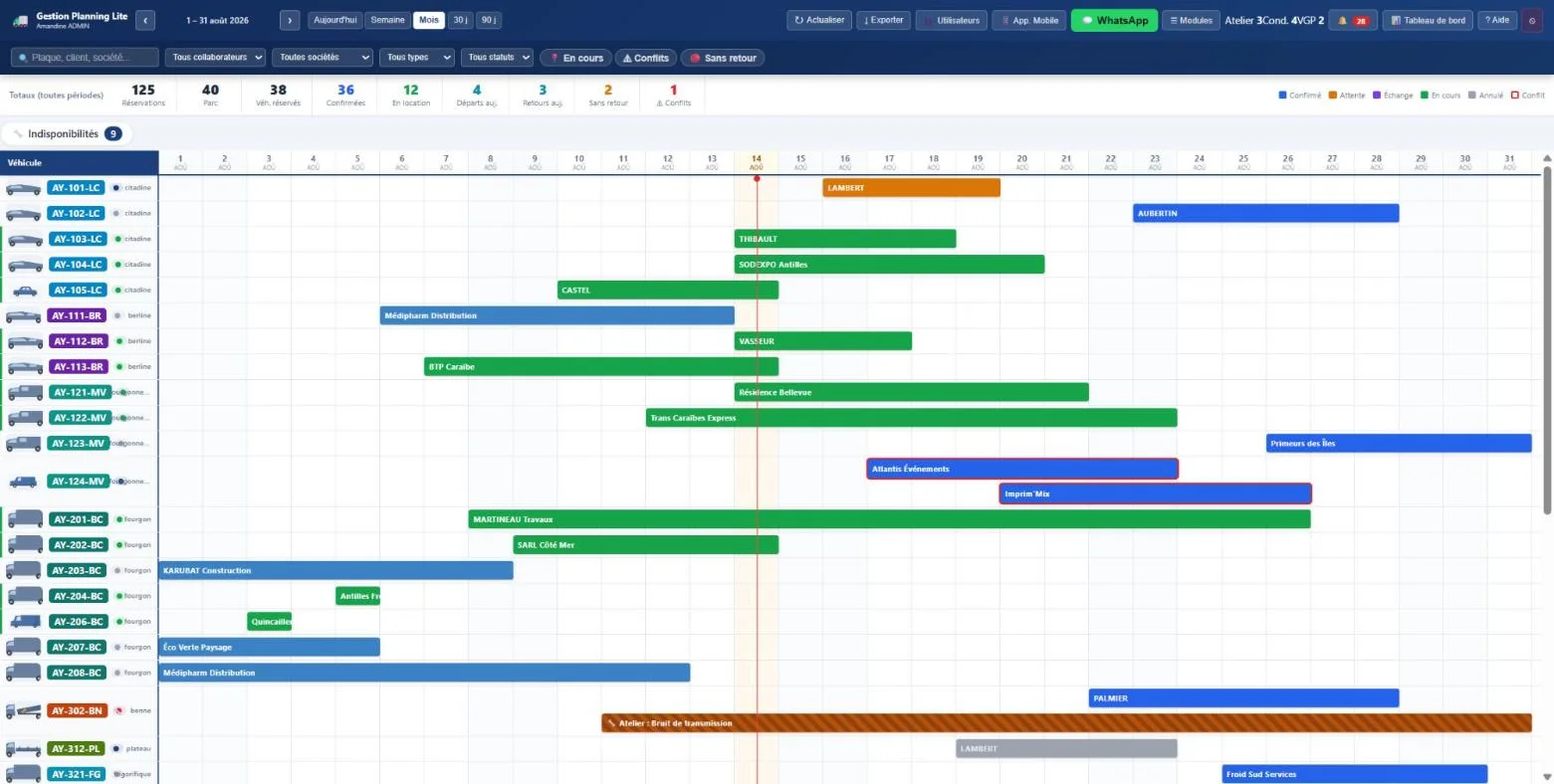
Gestion Planning Lite Real monthly view of Gestion Planning Lite with vehicles, bookings and unavailability
REAL SCREENSHOT · DEMONSTRATION DATA

Planning Management Lite brings together the schedule, the fleet, customers, drivers, documents and field operations. Your booking site already works with its local management; the commercial connection to this platform will be offered separately once validated.

Visual planningweek, month, 30 and 90 days Centralised fleetstatuses, history and documents Mobile field workdepartures, returns, photos and signatures Useful alertsconflicts, delays and deadlines
A CLEARER DAY

The office and the field work on the same information.

A booking does not stop at the calendar. It mobilises a resource, a customer, sometimes a driver, documents, a departure, a return and possibly a technical operation.

  • Spot availability and conflicts before confirming
  • Prepare departures and follow expected returns
  • Take a resource off the road for servicing or inspection
  • Find the history without piling up spreadsheets
Operations manager running a mixed fleet from a rental branch
An operational view of the fleet, from the office to the field.
ONE PLATFORM, MODULES THAT WORK TOGETHER

From booking to return, every step keeps its context.

The features below come from the Planning Management Lite product. Their exact availability depends on the offer and on the rights given to each user.

01
BEFORE THE RENTAL

Plan

Availability → booking
01

Planning & availability

Week, month, 30 or 90 day views, search, filters, conflicts and unavailability.
02

Bookings

Creation, confirmation, status cycle, departure to prepare and expected return.

03

360° customers

Contact details, type, activity, exchanges and information attached to the file.

02
BEFORE DEPARTURE

Prepare

File → handing over the keys
04

Drivers

Licences, qualifications, authorisations, validity dates and assignment checks.

05

Fleet & life record

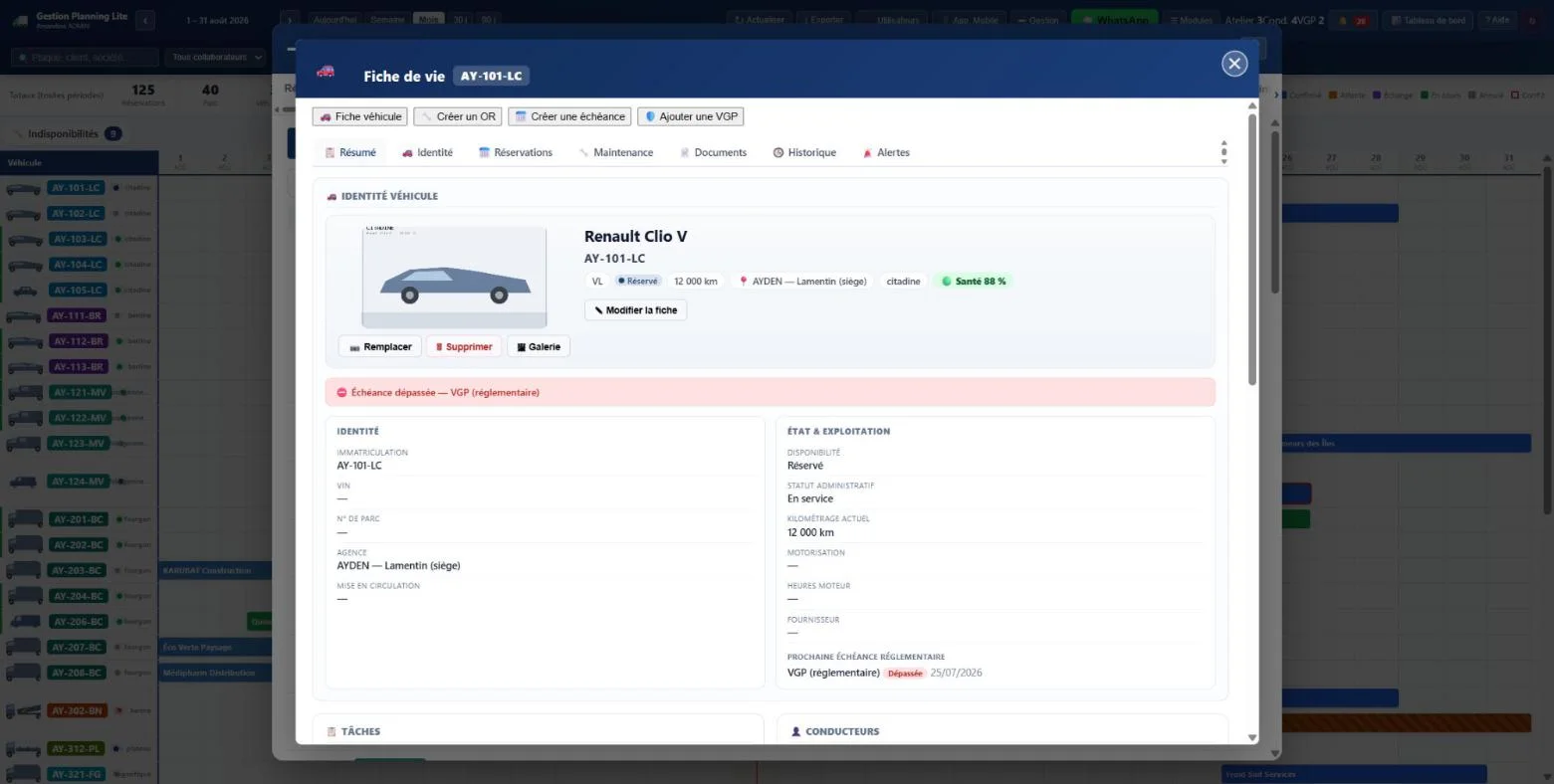
Identity, branch, status, mileage, history, bookings and document health.

06

Condition reports

Departure and return, check points, photos, fuel, mileage and signatures.

03
DURING THE RENTAL

Operate

Field → workshop
07

Mobile access

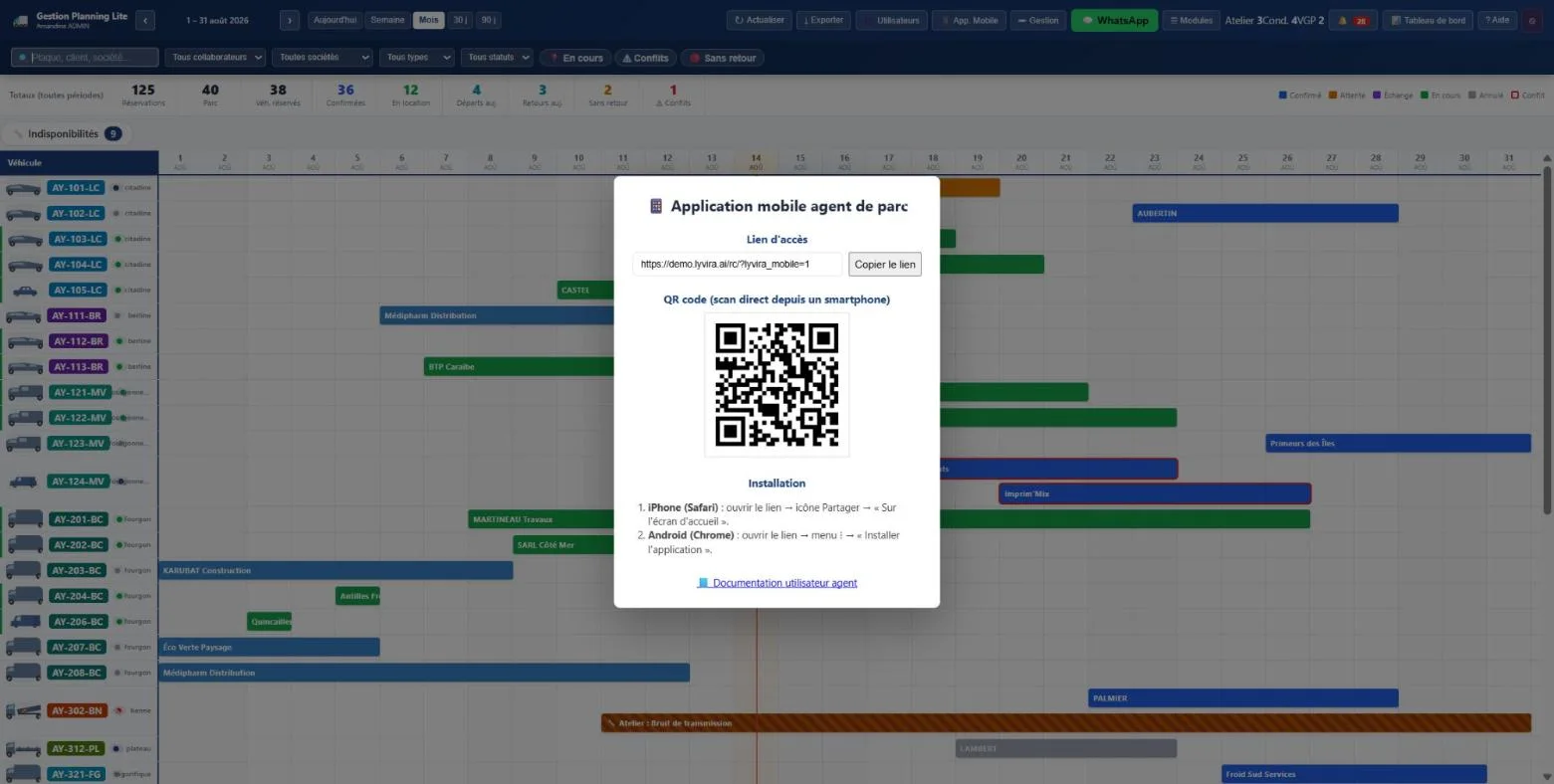
The essential operations stay available in the car park, in the workshop or at the branch.

08

Interventions & costs

Reports, quotes, providers, estimated, committed and actual amounts, supporting documents.

09

Maintenance & workshop

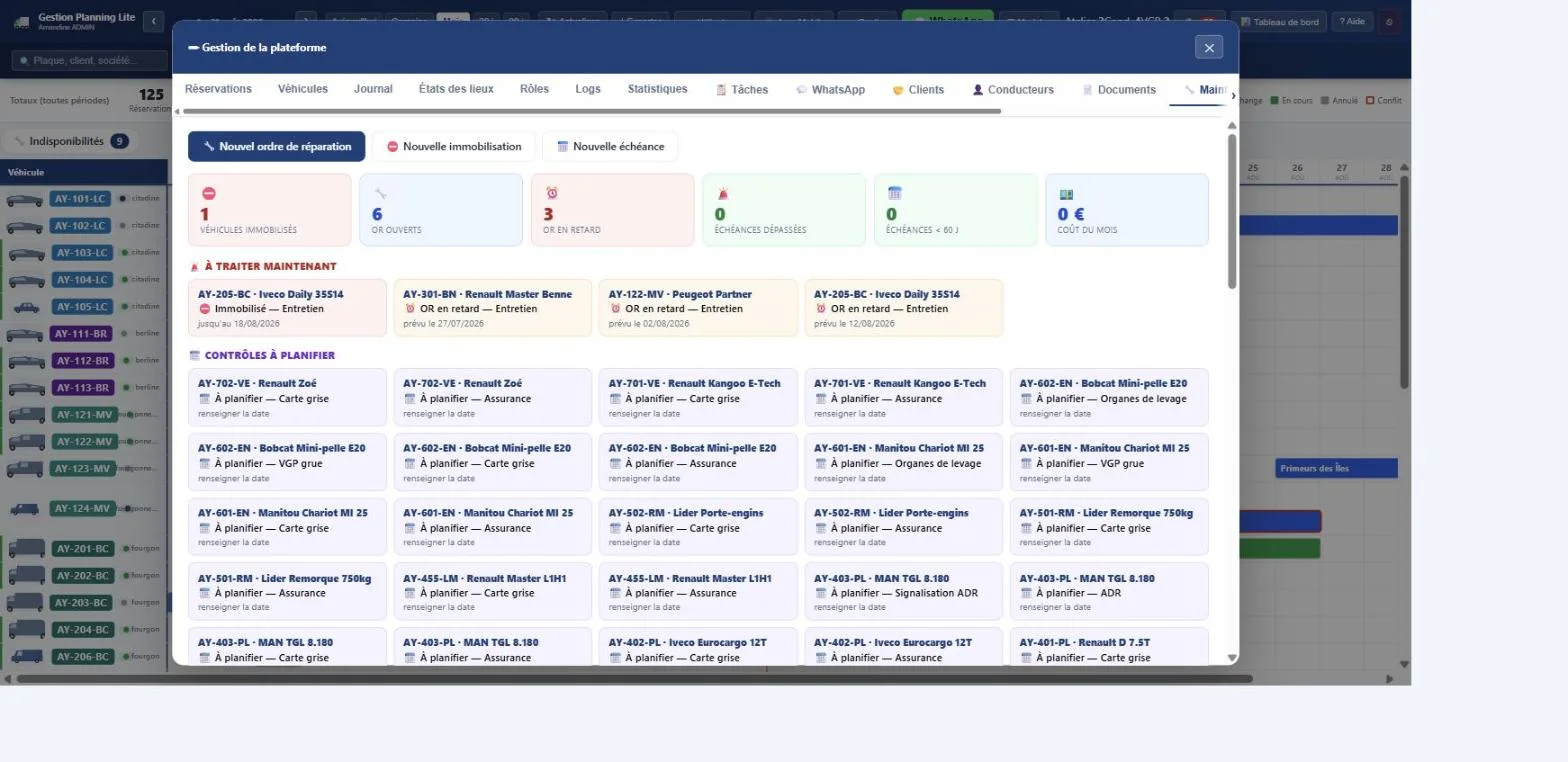
Deadlines by date or mileage, open orders, delays and downtime.

04
OVER TIME

Secure & steer

Compliance → decision
10

Periodic checks & safety

Periodic inspections, compliance, safety register and alerts to anticipate.

11

Tasks & documents

Assigned actions, fleet documents, deadlines and access to the right document at the right time.

12

Statistics & communication

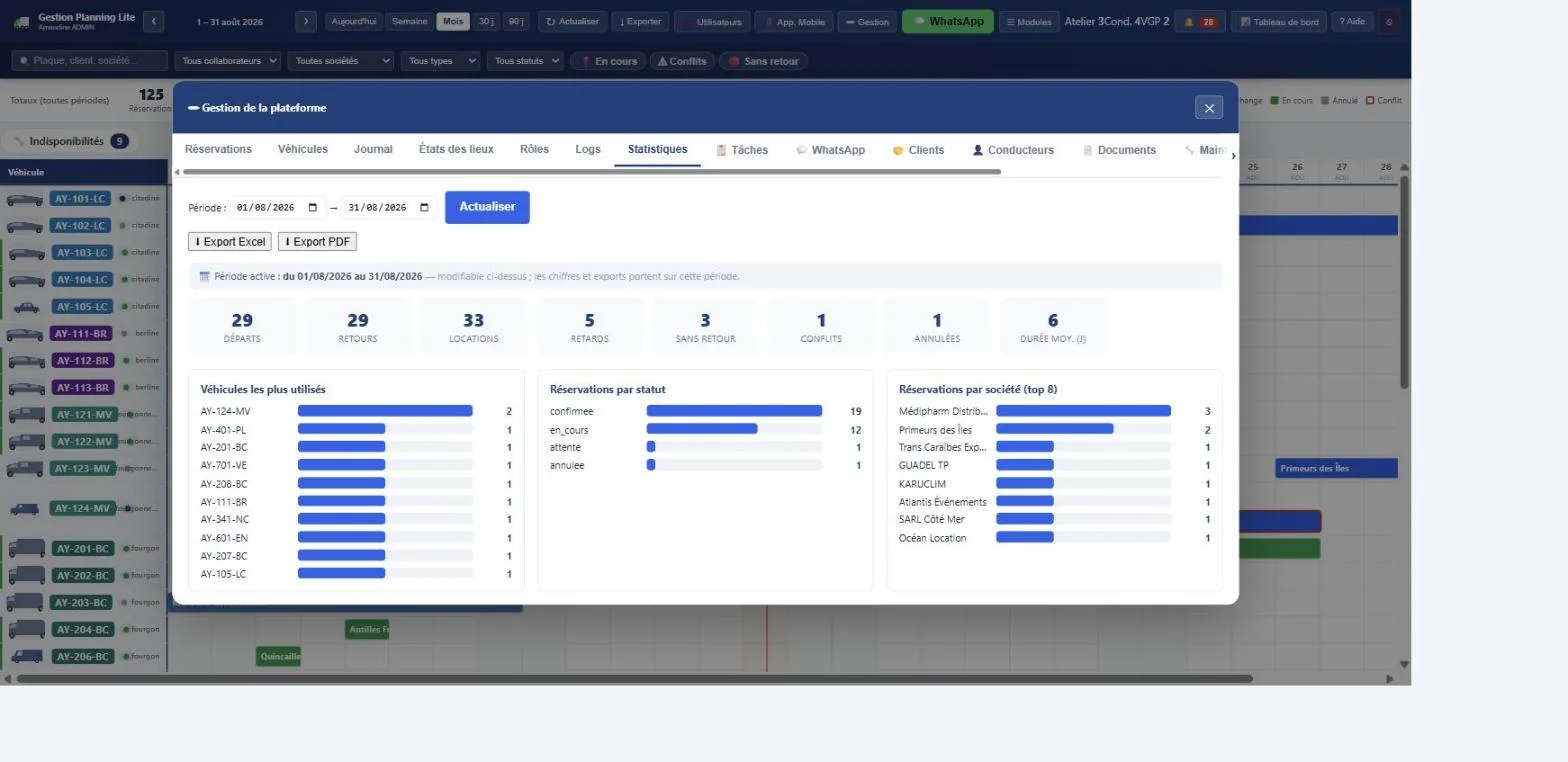
Activity indicators, operational follow-up and centralised exchanges, depending on the modules enabled.

FROM THE COUNTER TO THE WORKSHOP

The platform follows real work, not just boxes in a calendar.

Every field action feeds the same file: checks, photos, mileage, signatures, maintenance, costs and downtime.

Agent and customer carrying out the return condition report of a van together
MOBILE CONDITION REPORT

Record a departure or a return right beside the vehicle.

The agent follows the check points, records fuel and mileage, photographs damage and gets the file signed without going back to the office.

  • Time-stamped photos and observations
  • Departure / return comparison
  • Signature and history attached to the file
Technician and workshop manager following a maintenance job on a mixed fleet
MAINTENANCE & WORKSHOP

Link downtime, the intervention and the real cost.

The manager sees deadlines and open orders while the technician documents the work. The fleet stays readable right into the workshop.

  • Deadlines by date, mileage and periodic inspection
  • Orders, providers, parts and supporting documents
  • Estimated, committed and actual costs
Operations team organising departures, returns and downtime on a shared schedule
TEAM PLANNING

Settle departures, returns and the unexpected together.

Instead of reconciling several files, the team sees the resources on one timeline, filters the branch or status that matters and immediately spots a late return, a conflict or a vehicle with no recorded return.

  • Week, month, 30 and 90 day views
  • Filters by branch, type, status and user
  • Conflicts, delays and availability visible
Rental agent preparing the driver and the documents before handing over the keys
CUSTOMERS, DRIVERS & DOCUMENTS

Prepare a complete departure before handing over the keys.

The file brings together the customer's details, the actual driver, licences, qualifications and expected documents. The agent knows what is missing and what expires soon, without confusing the client company with the person who will drive.

  • Separate customer and driver records
  • Licences, authorisations and validity dates
  • Documents reachable from the right file
Technical team carrying out a statutory and safety inspection on a construction machine
PERIODIC INSPECTIONS & SAFETY

Anticipate inspections before a deadline blocks the equipment.

For the machines and equipment concerned, the team follows the periodic checks, their next dates and the related documents. An inspection becomes a planned, traceable action linked to the equipment's life record.

  • Deadlines and compliance alerts
  • Safety register and supporting documents
  • Downtime linked to availability
Fleet managers analysing the use, the costs and the maintenance of their fleet
STEERING & DECISION

Turn daily activity into understandable priorities.

Statistics do not replace the field: they make it readable. Management brings together occupancy, late operations, downtime and costs to decide where to act, renew or organise resources better.

  • Operational indicators and history
  • Follow-up of costs and interventions
  • Access matched to each person's responsibilities
THE PRODUCT, FOR REAL

Real screens, not an abstract promise.

These screenshots come from the product's official documentation and show demonstration data.

01 · OPERATIONAL PLANNING

Read fleet occupancy at a glance.

Each line is a resource. Colours and periods show bookings, rentals, workshop time and unavailability; the filters focus the view on the branch, type or status that matters.

  • Views matched to the level of detail needed
  • Search by plate, customer or company
  • Conflicts and missing returns visible
Monthly planningMonthly schedule with demonstration vehicles and bookings
ONE THREAD FROM END TO END

A rental moves forward without losing its history.

  1. 1
    Plan

    Choose the resource, the dates, the customer and check availability.

  2. 2
    Prepare

    Check the driver, documents, condition and what is needed for departure.

  3. 3
    Send it out

    Carry out the condition report, record mileage and fuel, then sign.

  4. 4
    Follow up

    Keep the job visible until the return, with the useful alerts.

  5. 5
    Return

    Compare the return with the departure and open an action if a difference shows up.

Agent carrying out a return check in the field with a tablet
Field actions stay linked to the rental file.
TWO LEVELS, A CLEAR LINE BETWEEN THEM

Start locally. Move to the platform when your organisation calls for it.

Local Basic and Planning Management Lite do not answer the same level of need. The connector between the two stays a separate future option.

INCLUDED WITH THE SITE

Local Basic

No compulsory subscription

The essential management to take bookings and avoid double assignments.

  • Availability by period and quantity
  • Bookings and manual blocks
  • Departures and returns inside WordPress
  • Week and month view
  • Suited to a simple organisation
See the solutions included →
SEPARATE PLATFORM

Gestion Planning Lite

From €79 / month on Lyvira.AI

Full steering for teams, fleets and operations that need more depth.

Operations

  • Week, month, 30 and 90 day planning
  • Availability, conflicts and downtime
  • Bookings, departures and expected returns
  • Global search and filters by branch

Fleet & compliance

  • Life record and history of every resource
  • Drivers, licences and authorisations
  • Documents, deadlines and alerts
  • Periodic inspections and safety register

Field

  • Departure and return condition reports
  • Photos, fuel, mileage and signatures
  • Mobile access for the branch and the yard
  • Assigned tasks and follow-up of actions

Workshop & steering

  • Preventive maintenance and open orders
  • Interventions, providers and supporting documents
  • Estimated, committed and actual costs
  • Statistics, roles and activity history
Discover the offers ↗
FUTURE OPTION

Connection to the site

Price and availability to be confirmed

The commercial bridge meant to pass bookings between the public site and the platform.

  • Development carried out separately
  • Tests on the five trades required
  • Switch-over and roll-back administered
  • No silent activation
  • Local Basic stays the fallback
Talk about your organisation →

The Planning Management Lite licence is sold by Lyvira.AI. It is not included in the price of a Rental Lyvira theme, and its automatic connection to the booking site is not offered yet.

A USEFUL VIEW FOR EACH ROLE

Less noise, more action depending on the role.

OPERATIONS

Fleet manager

Occupancy, conflicts, downtime, delays, available capacity and the day's priorities.

BRANCH

Counter team

Bookings, customers, drivers, departures, returns and the documents needed.

FIELD

Mobile agent

The day's jobs, checks, photos, readings and signatures right beside the resources.

TECHNICAL

Workshop & maintenance

Reports, deadlines, orders, providers, costs and technical unavailability.

QUESTIONS BEFORE CHOOSING

What is available today, and what comes next.

The line between the booking site and the platform is deliberately kept explicit.

Can the site work without Planning Management Lite?

Yes. Local Basic stays included and handles the availability, bookings and blocks the rental journey needs.

Is the platform only for cars?

Today's product goes very deep for vehicles and equipment managed as a fleet. Extending it to other trades must be validated feature by feature before any commercial promise.

Is the connection with my site already available?

No. The commercial connector, its switch-over and its administered roll-back will be developed and tested separately. This page does not present that connection as settled.

Where can I try the platform?

The demonstration is available at demo.lyvira.ai. Information about the offer, installation and support is published on lyvira.ai.

Who publishes and develops the solution?

Lyvira.AI designs and develops the solution. MADA LINK SERVICES is its legal publisher.

YOUR ORGANISATION DESERVES A CLEAR ANSWER

Show us your fleet, your roles and the way you work.

We help you tell what the site already covers, what the platform adds and what will have to be built bespoke.